
The short answer
A lead list is a liability until it has been de-duplicated, normalised, scrubbed against Do-Not-Call, and stamped with a state so quiet-hour rules can apply. Doing that work at import takes about twenty minutes for 50,000 rows. Skipping it costs you dial time, number reputation, and — in a TCPA-regulated space — potentially a great deal more.
This is the walkthrough, in order, with the decisions you have to make at each step.
Before you upload: audit the file

Open the CSV and answer five questions. Two minutes, and it will save you an hour.
- How many rows, and how many unique phone numbers? A gap between these two is your duplicate count. In Excel or Sheets:
=COUNTA(B:B)against=SUMPRODUCT(1/COUNTIF(B2:B50000,B2:B50000)). - Is there a state column, and is it populated? This drives quiet-hour enforcement. A blank state field means the system cannot protect you.
- What format are the phone numbers in? Mixed formats —
(555) 123-4567,555.123.4567,+15551234567— will defeat duplicate detection unless normalised. - Is there a consent field? Source, timestamp, and the disclosure language as displayed. If your vendor did not supply these, ask before you dial.
- How old is the list? Anything over thirty days needs a fresh scrub regardless of what the vendor did before selling it.
If question four has no good answer, stop. That is not a data-hygiene problem, it is a compliance problem, and importing it does not make it go away.
Step 1 — Normalise the phone numbers
Strip everything that is not a digit, then handle the leading country code consistently. Every downstream step — deduplication, DNC matching, delivery — depends on this.
In a spreadsheet, a workable formula is a nested SUBSTITUTE chain removing spaces, parentheses, hyphens, and periods, then a RIGHT(...,10) to take the last ten digits. Do this before anything else.
Step 2 — Decide your duplicate policy deliberately

Most import tools default to something. Choose instead, because the three options produce genuinely different outcomes:
| Policy | What happens | Use when |
|---|---|---|
| Skip | Existing record wins; new row discarded | Your CRM data is richer than the vendor's |
| Merge | Fields combine; new data fills gaps | Most common and usually correct |
| Create | Both records exist | Almost never — this is how you double-dial |
Merge is the right default for nearly everyone. "Create" is the setting that produces the experience of calling the same person twice in one afternoon from two different records, which is the fastest way to burn a lead.
Step 3 — Scrub against DNC on the way in

This is the step that matters most, and the one people postpone.
The National Do Not Call Registry held roughly 258.5 million phone numbers as of 30 September 2025 (FTC). Registrations are permanent. On a purchased consumer list, a non-trivial share of the file will match.
Two things to understand about scrubbing:
Scrubbing at import is necessary but not sufficient. Numbers move onto the registry between your import and your send. The control that actually protects you is a check that runs immediately before each call or message. ApexSales.ai does both — a scrub during the CSV import pipeline, and a DNC check before every outbound call and text, with blocked sends written to an audit log.
Do not delete the matches. Suppress them. A deleted record can be re-imported next month by someone who does not know. A suppressed record with a reason on it stays suppressed.
ApexSales.ai handles CSV imports of up to 50,000 rows with DNC scrubbing in the pipeline and a retry-safe design, so a partial failure does not leave you guessing which half went in.
Step 4 — Fill in the state, always
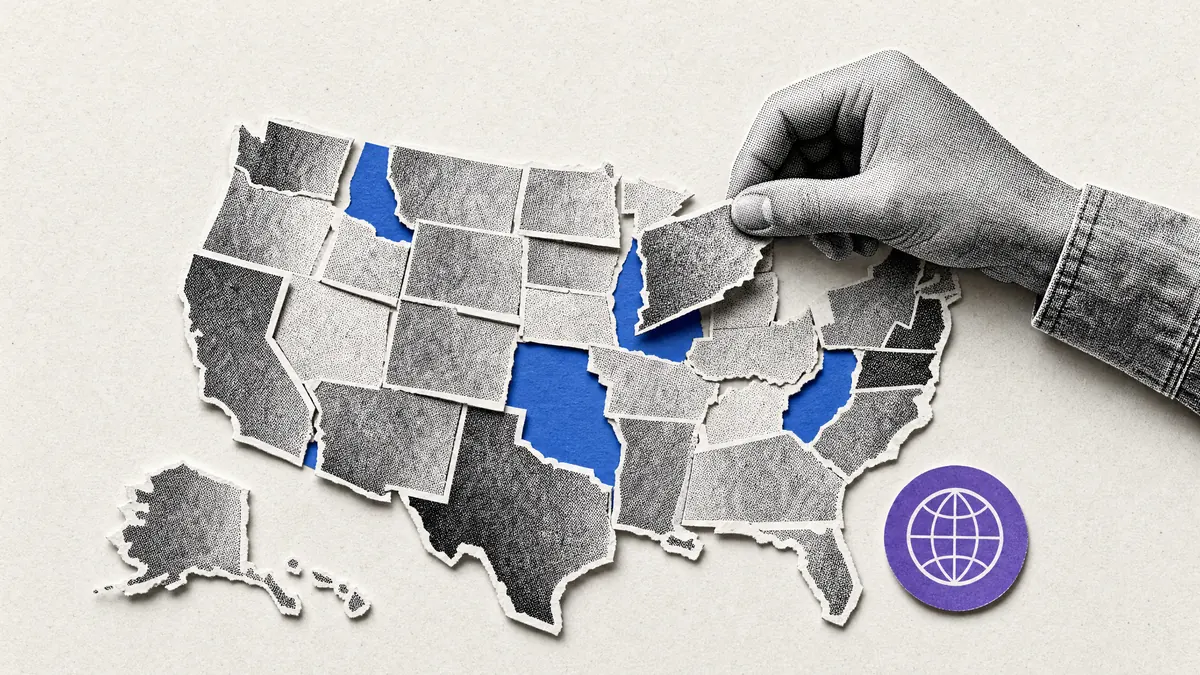
Federal telemarketing rules restrict calls and texts to 8:00 a.m. – 9:00 p.m. in the recipient's local time. States including Florida, Oklahoma, Alabama, Louisiana, Mississippi, Maryland, Oregon, Washington, Rhode Island and Texas impose tighter windows, and Texas SB 140 (effective 1 September 2025) brought texts under Texas's telephone-solicitation law, with consumer-protection (DTPA) remedies for violations.
Your platform cannot enforce any of this on a record with a blank state field. Where the state is missing, derive it from area code as a fallback and flag those records so you know they are inferred rather than sourced.
Step 5 — Tag the import session

Give every import a name and a date: medicare-aged-2026-09-19. This one habit gives you three things later:
- You can measure performance by list source, which is how you learn which vendors are worth buying from again.
- You can detach a bad list from a campaign in one action instead of hunting records.
- You can re-scrub or retire a specific batch without touching anything else.
ApexSales.ai supports filtering by import session directly, so a tagged batch remains addressable as a group.
Step 6 — Set the pipeline state before you dial
Do not import leads into an undifferentiated pool. Assign stage, priority, and owner at import. On a team, round-robin distribution at import means nobody spends Monday morning deciding who gets what.
Step 7 — Verify before you launch

Five checks, three minutes:
- Row count in matches expected count, minus known duplicates and suppressions.
- Spot-check ten records for correct field mapping — the classic failure is city landing in the state column.
- Confirm the suppression count is non-zero on a purchased list. A zero-suppression result on a large cold list usually means the scrub did not run.
- Confirm the audit log has entries.
- Dial three records manually before starting a queue of two thousand.
The maintenance cadence
Importing clean is half the job. Lists decay.
Weekly: merge duplicates from the week's imports, mark hard-failed numbers as bad so they stop consuming dial time.
Monthly: re-scrub anything older than thirty days. Thirty-one days is widely treated as the floor for list-level scrubbing.
Quarterly: retire lists that have produced nothing. A list with three thousand records and zero replies across two campaigns is not an asset, it is a source of failed sends that damages your number reputation.
Before every seasonal push: full re-scrub, full de-duplication, full time-zone verification. Ahead of the annual enrollment window running 15 October to 7 December, do this in September, not October.
Related reading
Sources
The primary sources behind the rules, dates and figures in this article, checked November 2026. Rules change, so confirm the current version at the source.
- FTC: National Do Not Call Registry Data Book for Fiscal Year 2025The National Do Not Call Registry held roughly 258.5 million phone numbers as of 30 September 2025.
- FTC Consumer Advice: National Do Not Call Registry FAQsDo Not Call registrations do not expire.
- eCFR: 47 CFR 64.1200(c)(2)(i)(D), Do Not Call safe harborLists must be scrubbed against a registry version obtained no more than 31 days before the call.
- eCFR: 47 CFR 64.1200(c)(1), telephone solicitation calling hoursFederal rules restrict telephone solicitations to 8:00 a.m. to 9:00 p.m. in the recipient's local time.
- Florida Statutes: Section 501.616, unlawful acts and practices (2026)Florida imposes a tighter window than federal law, ending solicitation calls at 8:00 p.m.
- Texas Legislature: S.B. 140, 89th Legislature, enrolled version (2025)Texas SB 140, effective 1 September 2025, extends state telephone-solicitation law to texts, with violations actionable under the DTPA.
- Medicare.gov: Open EnrollmentThe annual enrollment window runs 15 October to 7 December.
New to a term in this article? See the sales and compliance glossary.